How Do I Create a Report for Meaningful User Measures?
Reports for Meaningful Use Measures reporting are useful for eligible professionals who are entering into the attestation process for the CMS incentive programs. The eligible professionals must report on the fifteen mandatory Core objectives and five Menu objectives provided by the CMS.
RamSoft PowerServer only provides reports for ten Core measures and six Menu measures as these require an actual report to be generated. Other measures do not require a report.
The Meaningful Use Measures contain specific criteria which must be satisfied to create a report. For example, in the Meaningful Use Measure "Record Vital Signs", the Numerator and Denominators are defined as shown below:
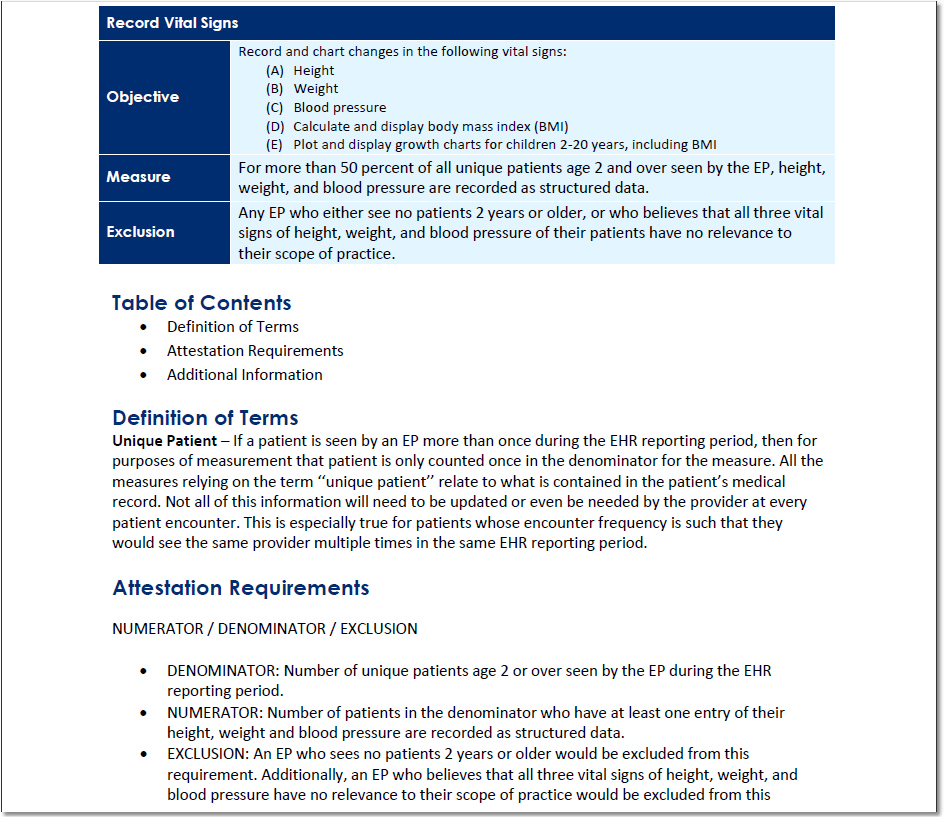
The Denominator in this case is the total number of unique patients who meet the criteria. A unique patient is defined as one that is seen by the eligible professional (i.e. all patients age 2 and above who have been seen by the Eligible provider in the reporting period). The Numerator is the number of patients among the denominators who meet the specific criteria defined for the numerator (i.e. patients among the denominators who have their height, weight or blood pressure recorded by the Eligible Provider). The resulting percentage in this case must be over 50% to satisfy this measure.
The exclusions in criteria such as an eligible professional who does not see any patients age two or over will be excluded from this requirement. In this case an eligible professional may decide to exclude this particular measure from their report.
Automated Meaningful Use measures can be generated in the report either for a specific date range or for a quarter in a quarter year.
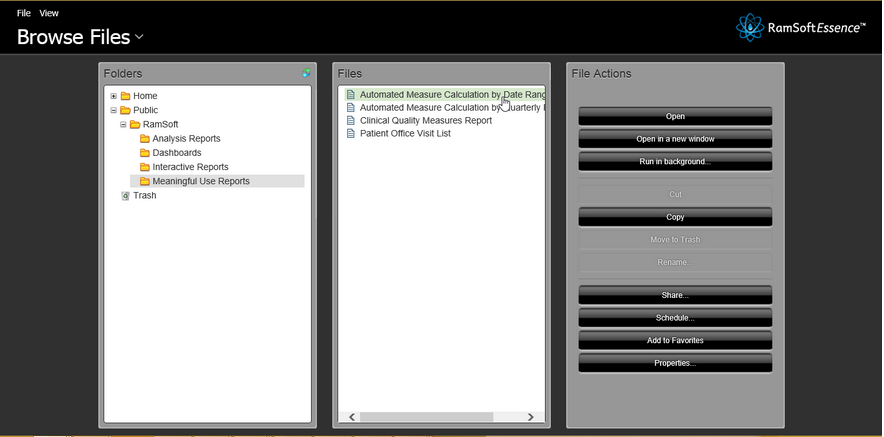
- Click Browse Files > RamSoft > Meaningful Use Reports and select Automated Measure Calculation file in the RamSoft Essence page.
-
Select a Provider (Reading or Performing Physician), From Date, To Date, Facility and Issuer of Patient ID. Users can choose the facility they belong to. System Wide Administrators can choose any facility.
a. Select the stage to calculate the automated measures and click the View Report button.

The report displays all the measures on the basis of Denominators (total number of records selected from the database for the specific measure) and Numerators (the number of records that fulfill the criteria).
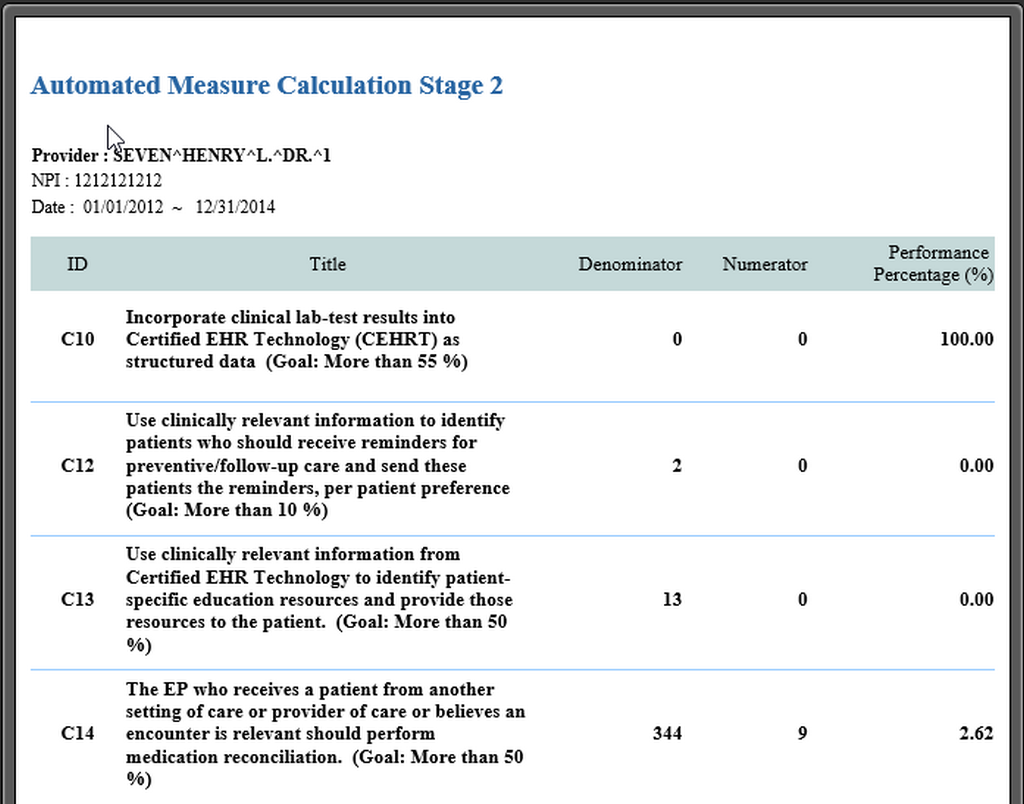
This report includes empty studies (studies that do not contain any objects) in the body of the report but it does not include cancelled and deleted studies in the body of the report. The total number of these cancelled and deleted studies is displayed at the bottom of this report in two rows named 'Cancelled Studies' and 'Deleted Studies'.
The report can be exported as a PDF, Microsoft Excel, Rich Text Format, Comma Separated Value file or a text file.
This Meaningful Use feature is only available for RamSoft PowerServer with Meaningful Use license.