Image Scrolling
Overview
In Powerreader, a frameset displays a series of images. A frame display an individual image within the series. A study may contain one or more series (framesets), each with multiple images (frames). To scroll through images within a series, see Scrolling Through Frames. To scroll to another series , see Scrolling Through Framesets.
Note: When a user hovers over a study viewport and uses the scroll wheel, the system automatically selects the viewport and enables scrolling on the specific study's viewport. This is useful when physicians hover the mouse on a different image series.
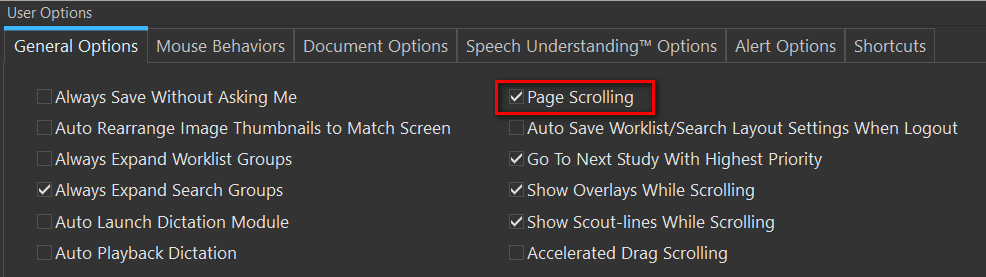
Page Scrolling (Settings > User Options > General Options):
The following apply to all modalities except for MG.
-
With Page Scrolling enabled: Scrolling down the image (single image frame) or scrolling down to the last image (multi-image frame) on the current page would display the next page of images. Scrolling up will scroll to the previous page of images.
-
With Page Scrolling disabled: Scrolling down the image (single image frame) or scrolling down to the last image (multi-image frame) on the current page would bring up the next image of the series one at a time. For example, consider a study with multiple images (separated into individual framesets) with a Viewing Protocol layout of 2x2. Initially, images 1, 2, 3 and 4 are displayed. Scrolling further would display images 2,3,4 and 5. For multi-frame objects (CT frameset or US cine), page scrolling is always disabled: when the user scrolls, only the next frame or slice is displayed, not the next page.