Scrolling Through Framesets
The following 2 ways can be used to scroll through framesets:
- Keyboard Pg Up / Pg Dn: the keyboard Page Up and Page Down keys can be used to scroll through framesets.
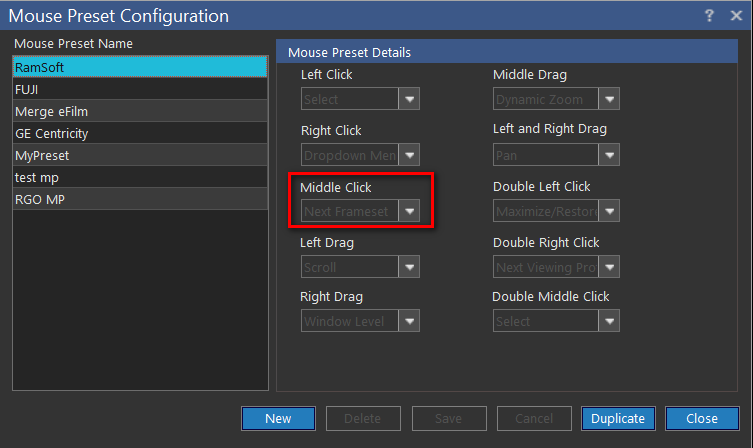
- Mouse default setting: the mouse can be configured to have a default Next Frameset function, i.e. Middle Click (clicking the Scroll Wheel). The default functions of the mouse is customizable and specified in Mouse Presets. Perform the scrolling operation by activating the mouse default setting for Next Frameset, if set.
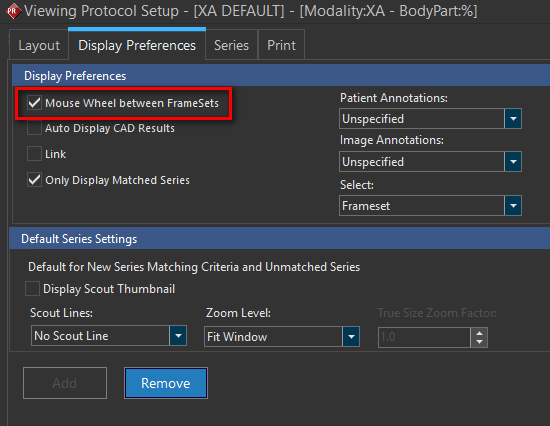
Mouse Wheel between Framesets (Viewing Protocol Setup > Display Preferences):
The "Mouse Wheel between Framesets" option can be turned on in Viewing Protocol Setup: Display Preferences. With this option turned on, scrolling to the end of a series in a Viewport will bring up the next series in the study. If the user has multiple monitors that are not fused, the new images are introduced only on the monitor the user is actively scrolling through. Mouse Wheel between Framesets will not scroll images through different studies.