How Do I Disable Changing the Assigned Personnel Status?
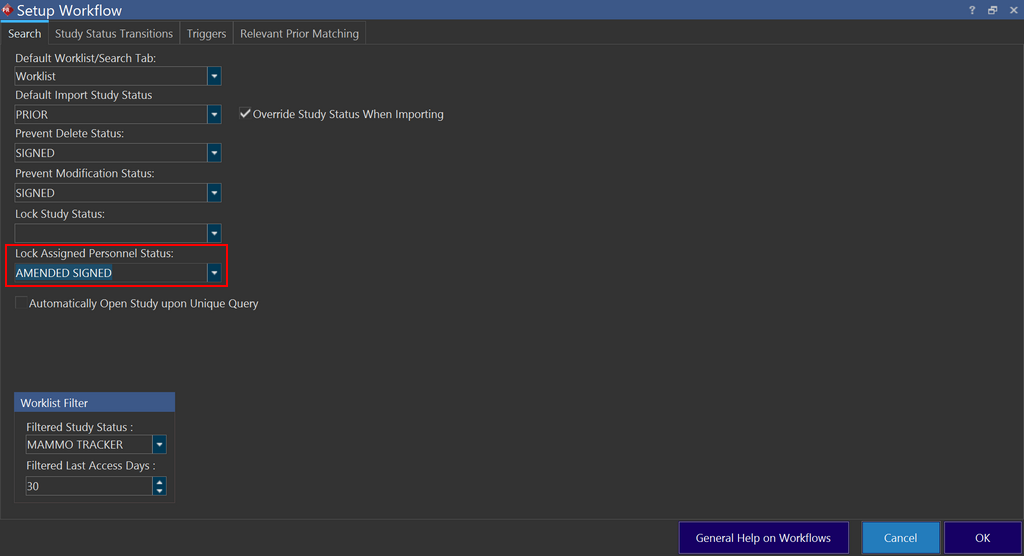
Once a Study reaches a certain status, we can prevent any changes to assigned personnel status when the study reaches a certain status. This can be accomplished by using the Lock Assigned Personnel Status option under the Search tab in Server Settings > Workflow.
Once a status is selected from the drop-down menu, it disables updating the assigned personnel status for a study including any changes made through DICOM or HL7 when the study reaches the selected status. Only users with Admin or System Wide Admin privileges can then override this restriction.
Note that any change in a study status that happens through Workflow transition is not affected by this option.