How Do I Change the Workflow of Studies with Amended Dictations?
Under certain situations, the reading physician might need to amend a Signed study. In this case, the reading physicians are allowed to change the study status in the following manner.
- The reading physician will review a Signed study. If an amended is needed, the reading physician will close the open study, right-click on the study in the Worklist and choose the TO BE AMENDED status. (Currently this is the only way of changing the status of the study from SIGNED to TO BE AMENDED).
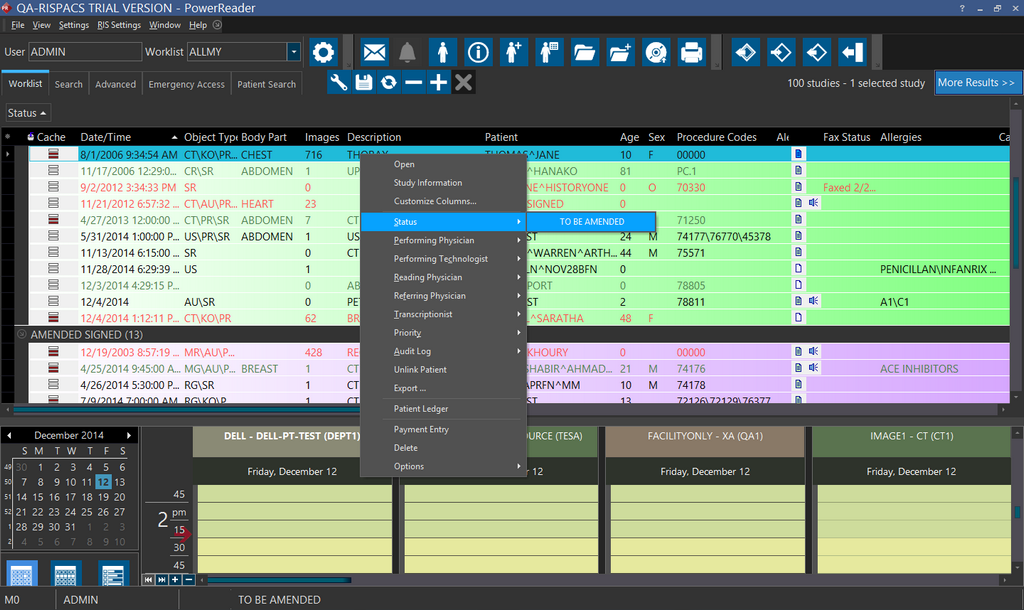
- This will place the study in the UNREAD Worklist of the system.
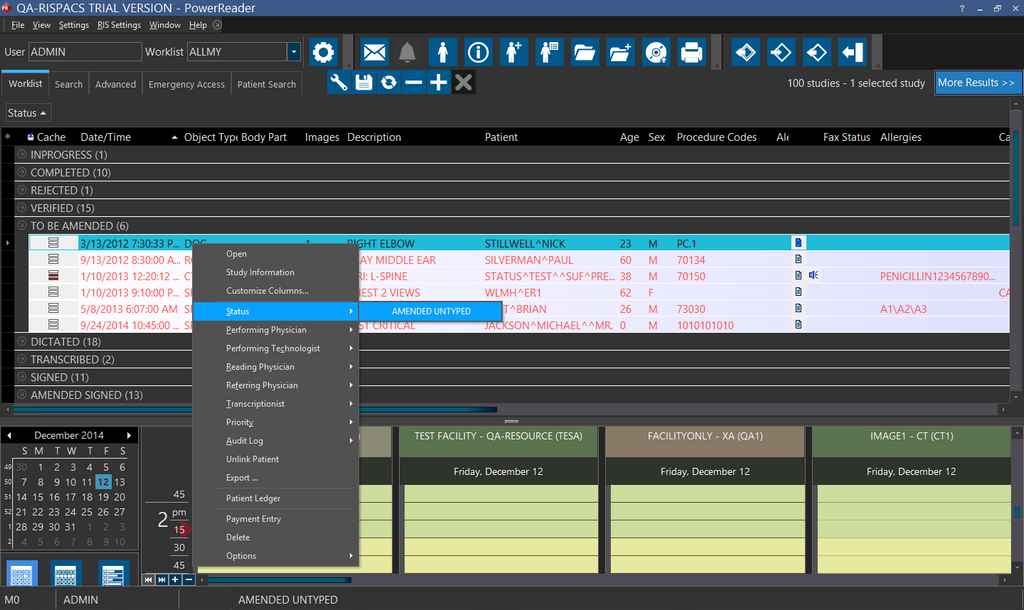
The radiologist will perform the necessary amendments and then advance the study. The radiologist can advance the study by clicking the check mark in the report viewer  or by closing the study and right-clicking on the study in the Worklist and then advancing the status. The next status will be Amended Untyped. Advancing the study from "To be amended" to "Amended Untyped" will display the study in the Dictated Worklist of the system.
- Once in the Dictated Worklist, the study will be available for transcription.
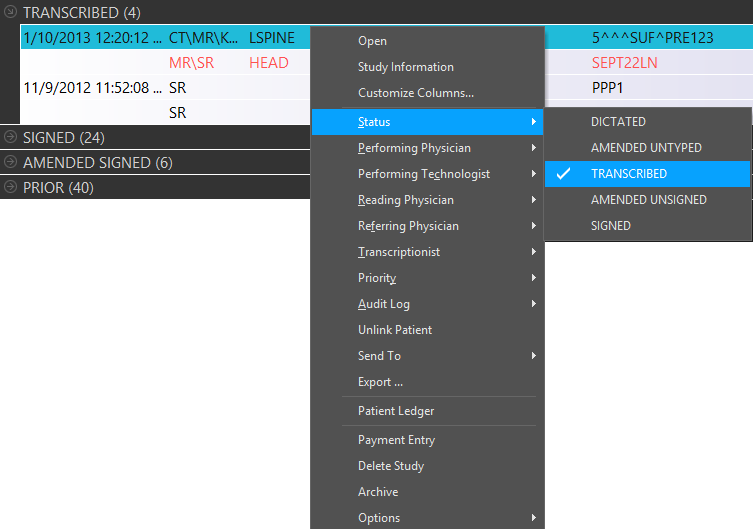
The transcriptionist can perform the needed amendments and resend the amended transcription to the reading physician by changing the status to "Amended Unsigned". This will place the study in the Signed/Transcribed Worklist.
- The radiologists can view the Amended Unsigned study in the Signed/Transcribed Worklist. They can review the amended transcription and sign the study. They can advance the study by checking the bookmark or right-clicking the study and choosing the Amended Signed status.
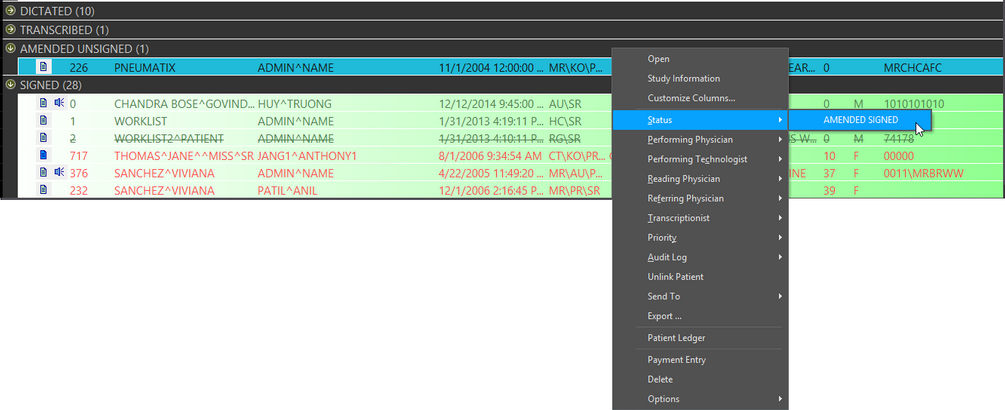
Once the Amended Signed status has been chosen, the study will be visible in the Signed Worklist.