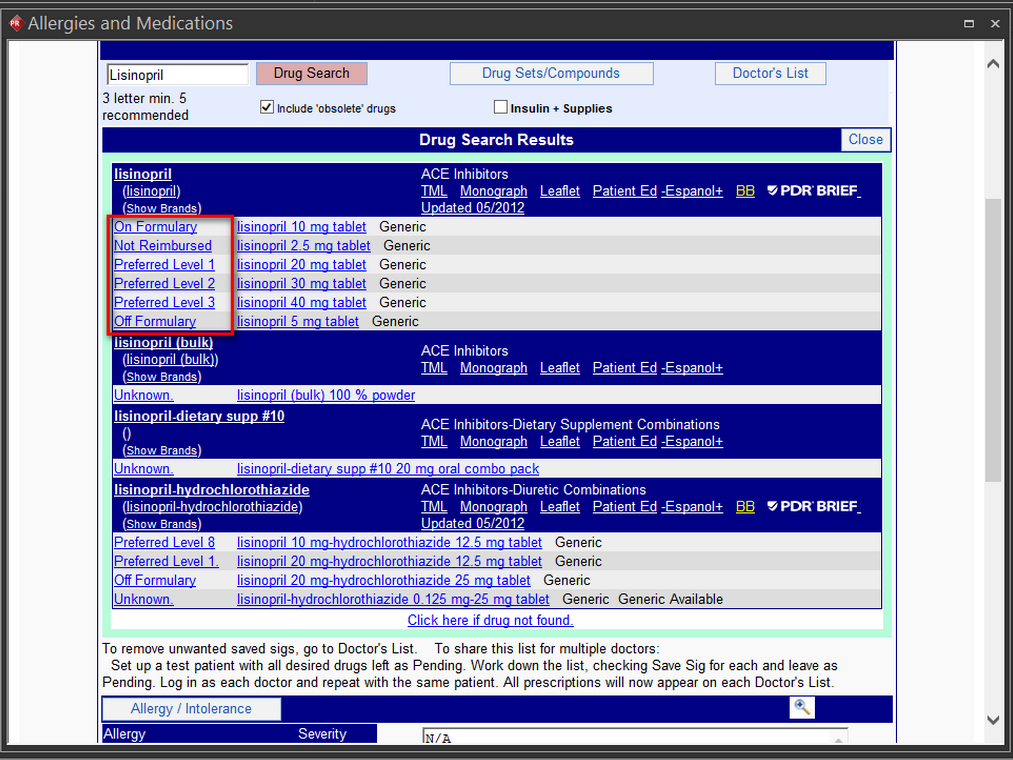
Drug Formulary Checks
You can check whether a medication being ordered is on-formulary, off formulary or on Preferred drug list based on patient's 'Drug Plan'.
You can view the drug formulary check performed by the system as follows:
- Select a patient and view the Patient Info by clicking the Patient Info
 icon on the ribbon bar.
The Patient Info screen for the specific patient appears.
- In the Health Information tab, click the New/Edit button. The Allergy and Medications screen appears. By default, the Med Entry tab is displayed.
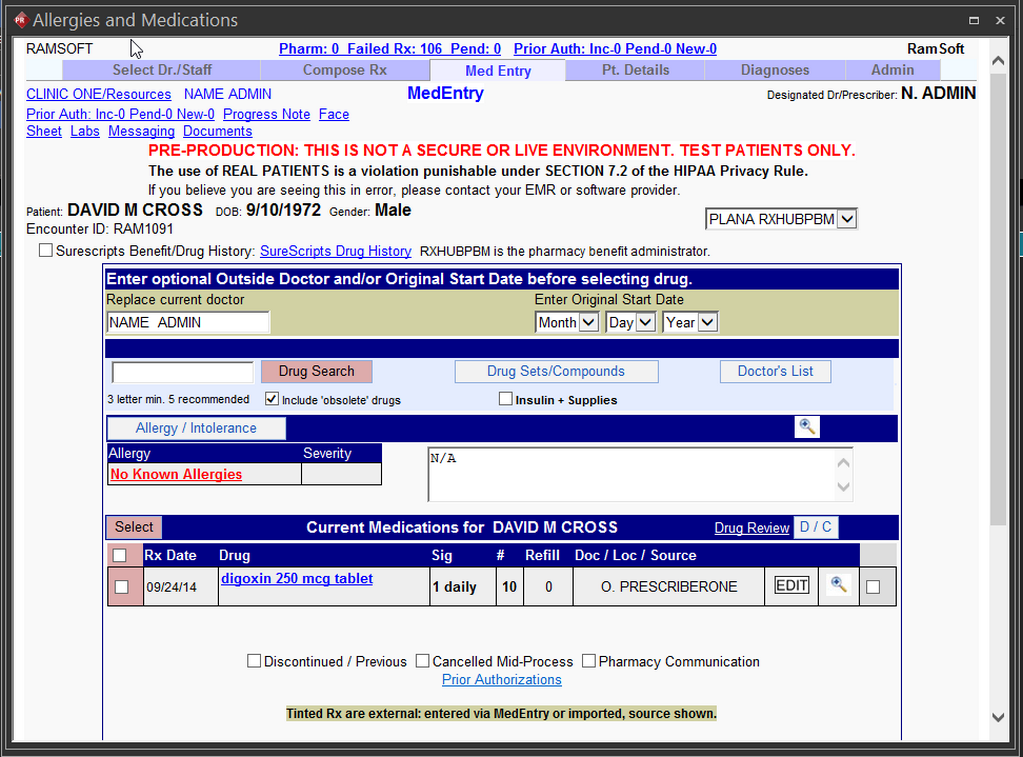
You can notice that the patient is on an active drug plan.
- Search for the drug you want to check the drug formulary. In this case, we search for the drug "Lisinopril".
- The Drug Search Results page is displayed specifying if a certain strength of a drug is either on Formulary/Preferred Level/ Off Formulary based on the drug plan associated with the patient.