What are the Rules & Privileges for Accessing NewCrop?
While various options have been provided to fulfill the Meaningful Use Criteria, specific rules and restrictions have been defined for these options. There are two types of privileges which have been defined in the Roles section of the PowerReader. They are Access Rx and Access Rx Admin.
-
The Access Rx privilege allows a user to access NewCrop. It is a role usually assigned to the physicians who would prescribe medicines for their patients. It also allows a user to prescribe medicine for a patient, order medicines online for the patient and perform all the tasks which can be performed by the Access Rx Admin privilege. A user with Access Rx privilege will be automatically granted the Access Rx Admin privilege.
-
The Access Rx Admin privilege has certain limitations. It is usually allowed for front desk personnel and clerical staff. This privilege allows a user to access NewCrop. They can view the information which has been entered for a patient. They can enter allergies of a patient, move the prescribed medications to current medications and some administrative tasks in the Admin tab of NewCrop. However, they cannot prescribe medicine for a patient or order medicines online.
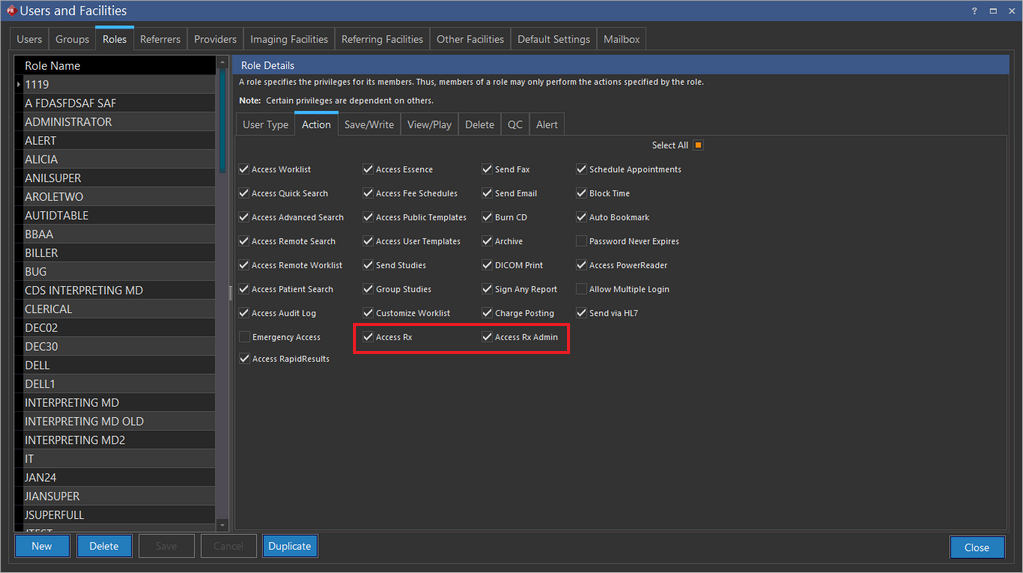
The following rules have been defined for accessing NewCrop:
- An Rx check box has been added in the Imaging Facilities tab of the Users and Facilities form (unchecked by default). If this option is checked, the Facility address, City, state, Country (only United States of America), ZIP code, Business phone number and fax number are validated.
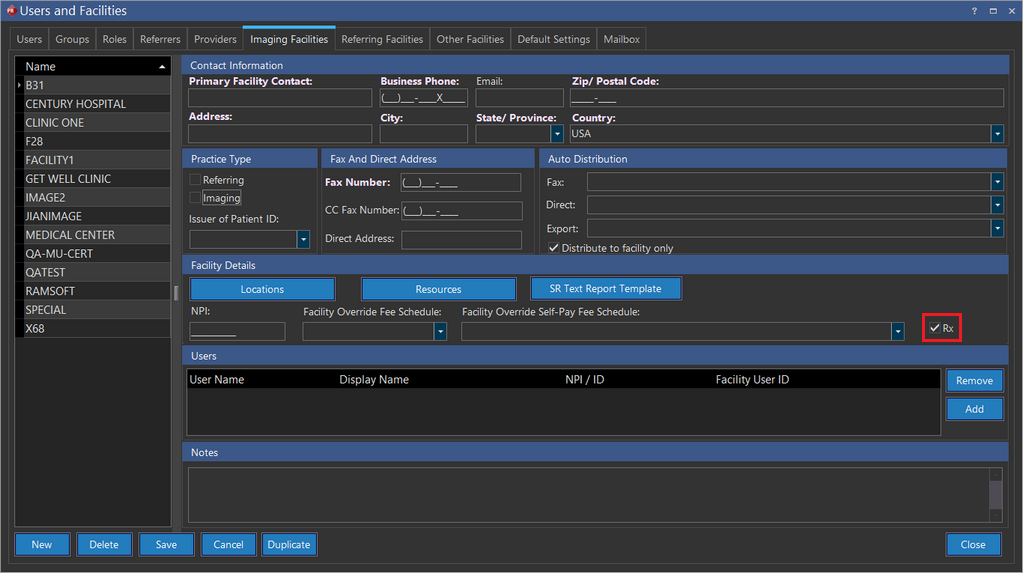
- When the NewCrop screen is launched by clicking the Add/Edit button in the Patient Info form, the user could not prescribe medicines in NewCrop if the patient belongs to an imaging facility where the RX option has not been check in the Imaging Facilities tab.
- The user could not prescribe medicines in NewCrop if no study has been created for the patient.
- The user could not prescribe medicines in NewCrop if a study for the patient is available but the Imaging Facility has not been defined in the Imaging Facility tab of the Users and Facilities form.
This Meaningful Use feature is only available for RamSoft PowerServer with Meaningful Use license.