How Do I Order Medication for a Patient?
- Click View Patient Information
 icon. Demographics tab of Patient Info screen appears as shown below.
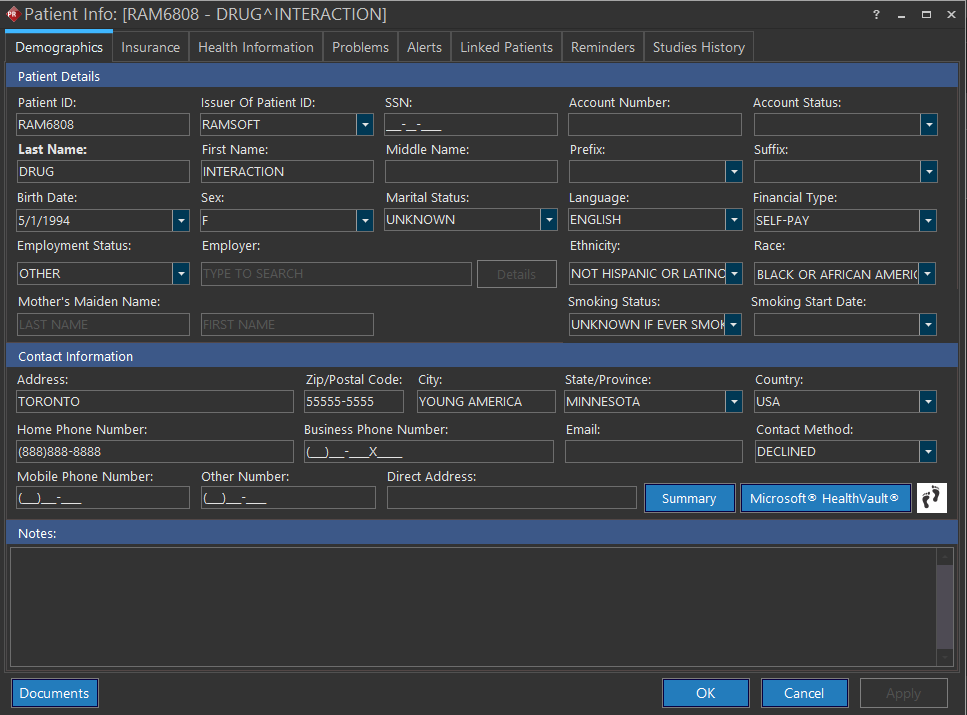
- Enter the patient's details whichever is mandatory under Demographics tab.
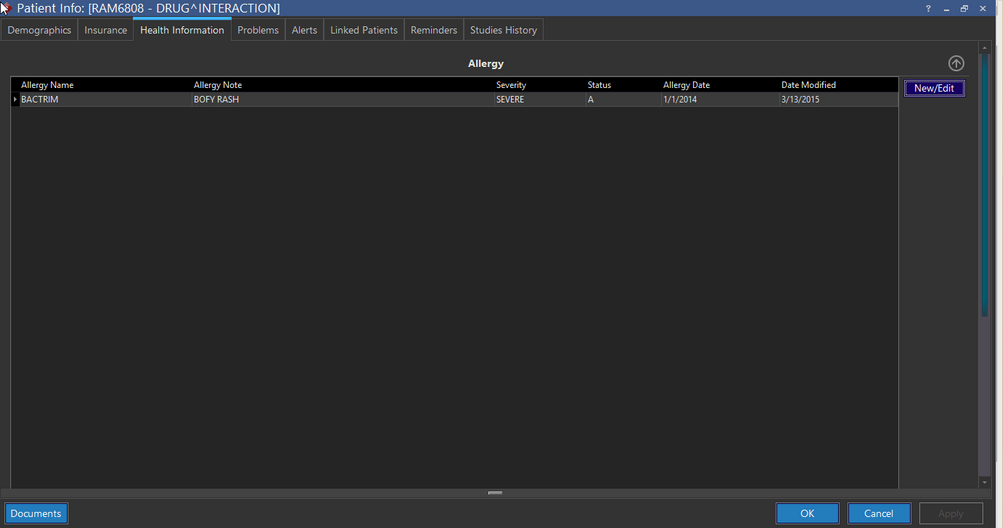
- Click Health Information tab. The Health Information tab of Patient Info screen appears.
- Click the Add/Edit button in the Patient Info form to launch NewCrop.
- Once NewCrop has been launched, select the Compose Rx tab.
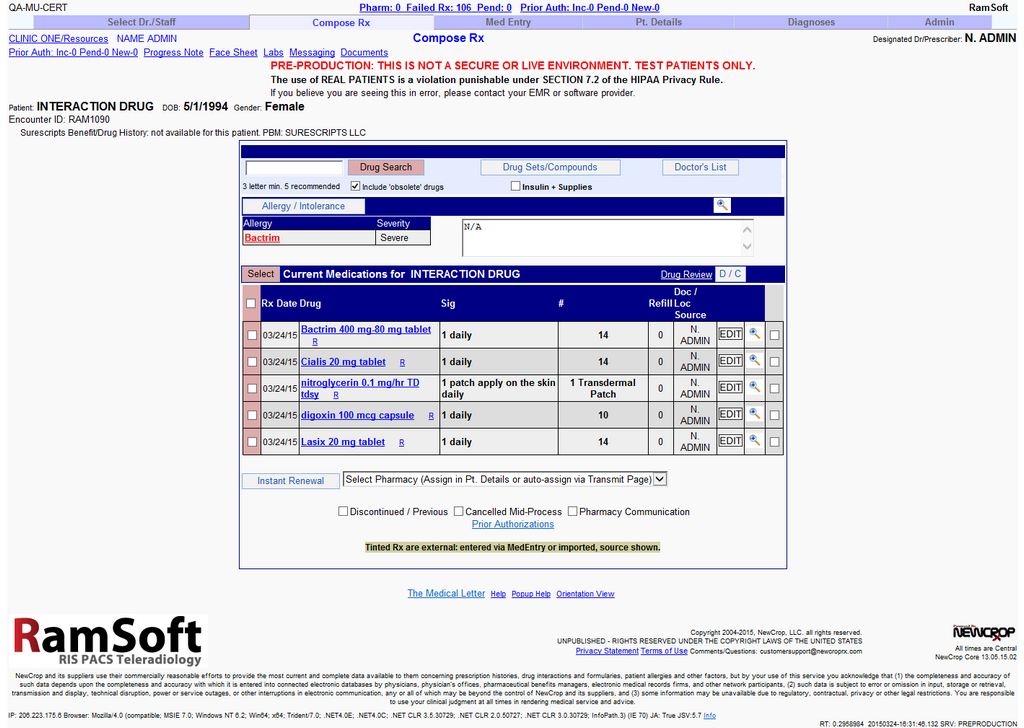
- Select the medicine and required dosage. In this case, the drugs along with dosage have been selected.
- Press the Take Complete Rx to Review Page button.
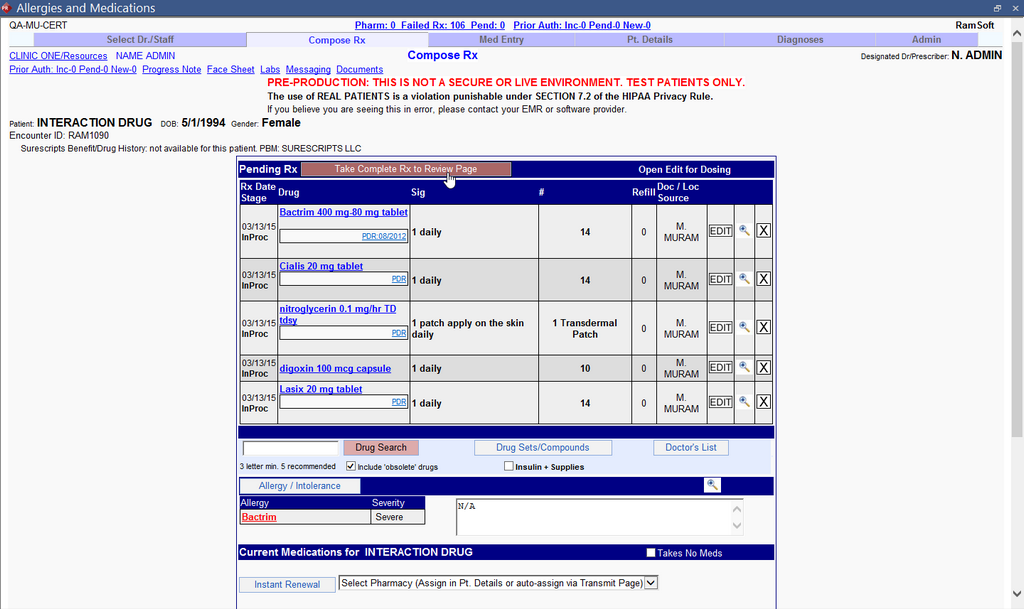
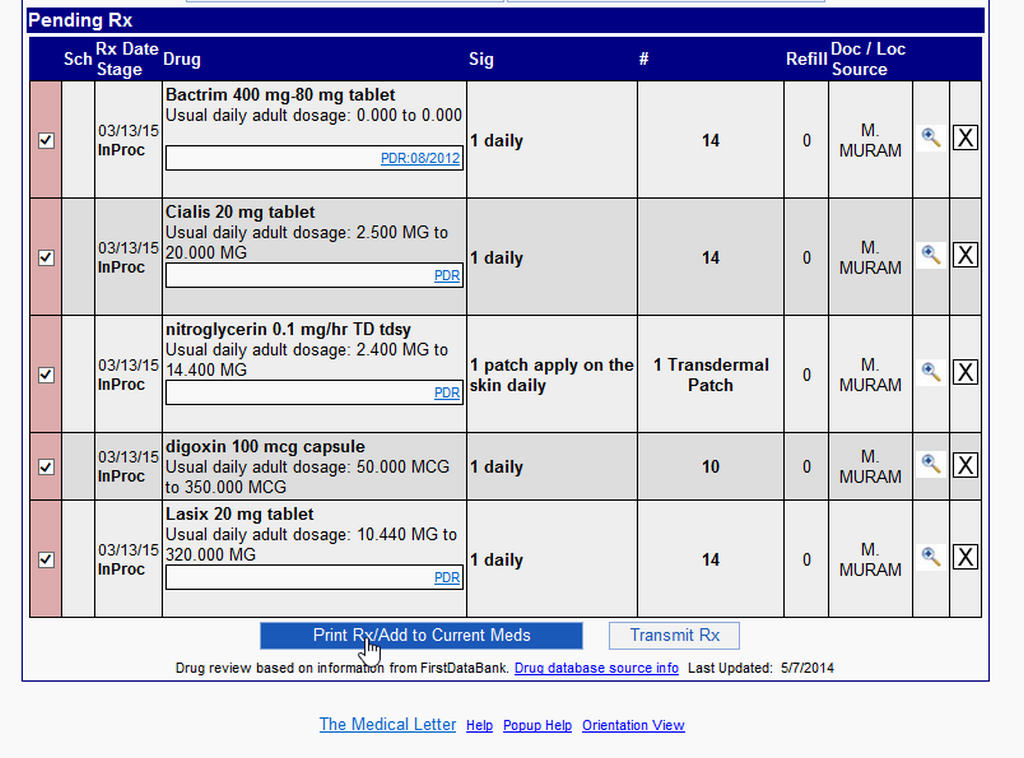
You can see that the Drug-Drug interaction and Drug-Allergy interaction review information is displayed along with the Pending Rx table listing all the drugs to order.
- Select the Print Rx/Add to Current Meds button to order the medication.
The Print Rx/Patient Materials screen under the Admin tab appears listing a consolidated prescription with dosage information for you to print out the prescription.
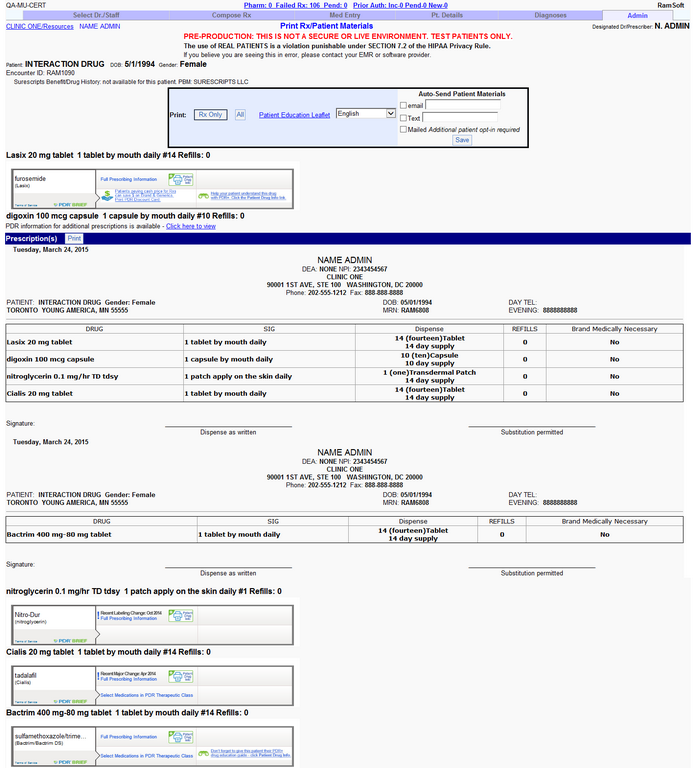
- Select Rx Only to print just the paper prescription or select the Patient Education Leaflet link to view information on the drugs.
note
This Meaningful Use feature is only available for RamSoft PowerServer with Meaningful Use license.