Reminders Tab
PowerReader sends specific reminders to patients about preventive or follow-up care. These reminders are sent according to patient preference (e.g. fax, phone, or emails). The method chosen in the Preferred Contact field of the Patient Registration form is used to send reminders.
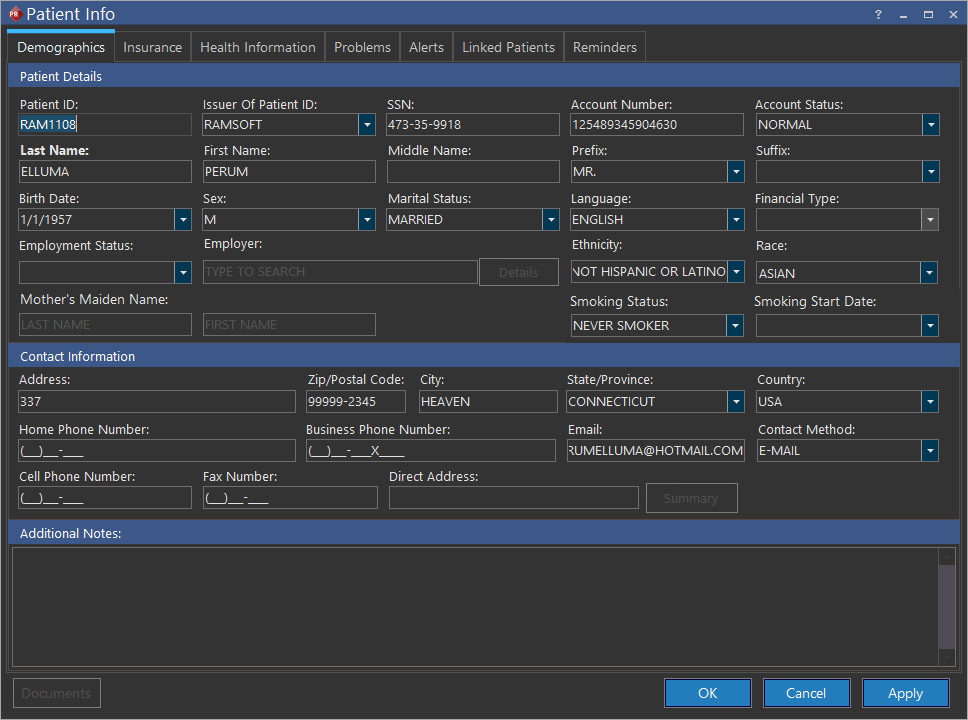
The reminders are created in the Patient Reminders tab of the Patient Registration form.
Creating a new patient reminder
Prerequisite:
The Contact Method text field should be either Email/Phone/fax. It should not be Declined.
To create a reminder, click New. Add a Start Date for the reminder as well as the Frequency for the reminders (the number of days after which the reminder will be sent to the patient). A maximum value of 2000 days is allowed in this field.
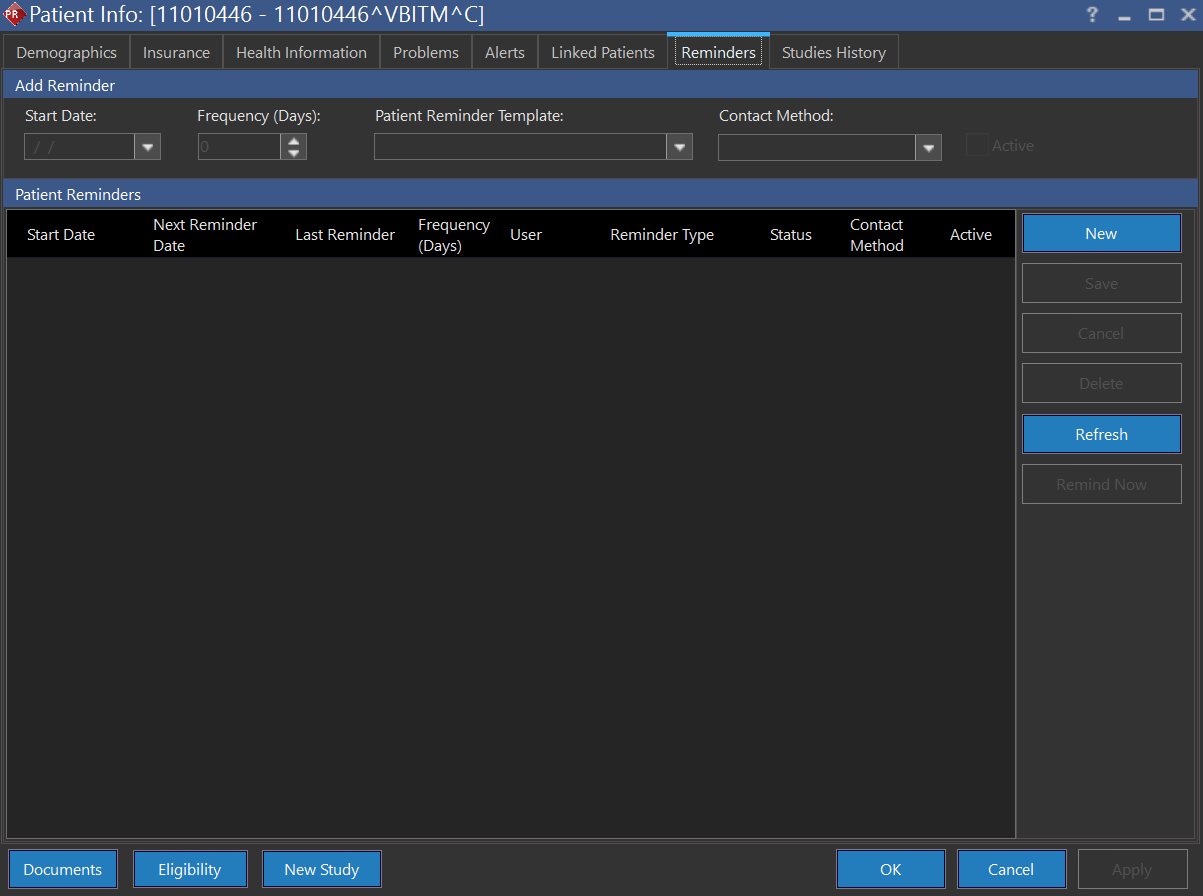
The Patient Reminder Template is a drop-down menu which contains specific templates. These templates are used if the patient chooses Email as their preferred method of communication. If the Preferred Contact option is Phone/Fax, the user is required to remind the patient manually. The list of templates is populated from the RIS Settings > Patient Reminder Templates menu. The Active check mark is used to make a reminder, Active/Inactive.
If the Preferred Contact method is Email and date for sending the reminder has already passed, the reminder will appear red as shown below.
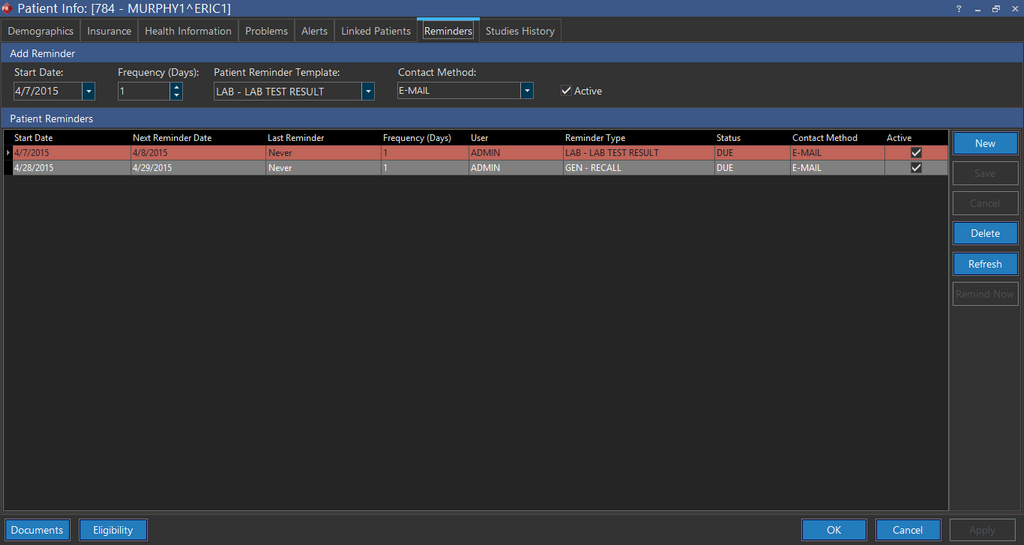
If the Preferred Contact method by the patient is Phone/Fax, the Remind Now button is activated. Pressing this button will display the Remind Patient screen.
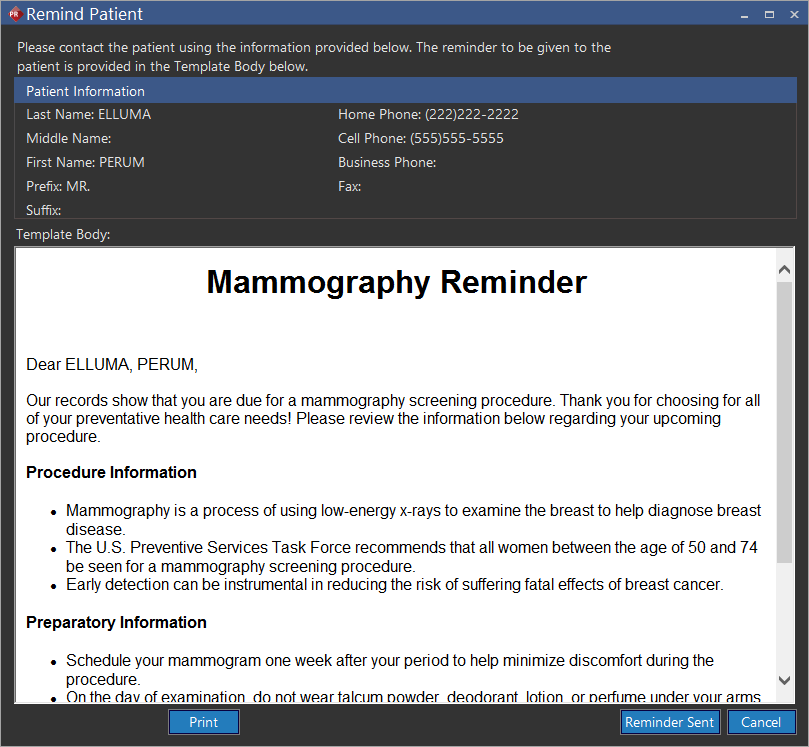
The screen can be used as a reference while contacting the patient. After the reminder has been sent, pressing the Reminder Sent button can be pressed to mark the patient reminder as sent. This changes the Last Reminder Date to the time when the Reminder Sent button was pressed.
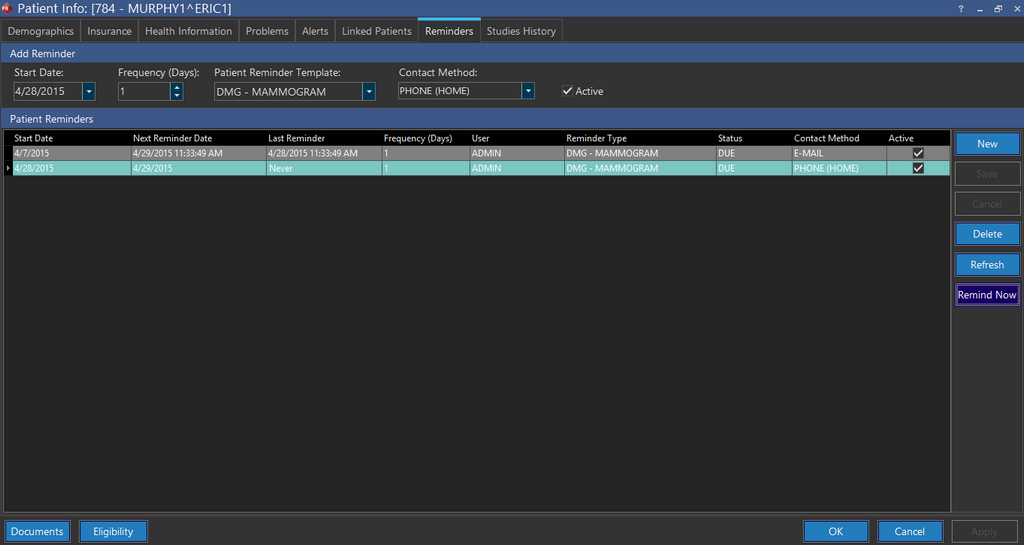
The templates for the reminder emails are taken from the Patient Reminder Templates section of the PowerServer. It is accessed through RIS Settings > Patient > Reminders Templates. For more information, refer to the section Patient Reminder Templates.
Viewing all the patient reminders
To view a list of all the patient reminders in the system, go to File > Patient Reminder List.
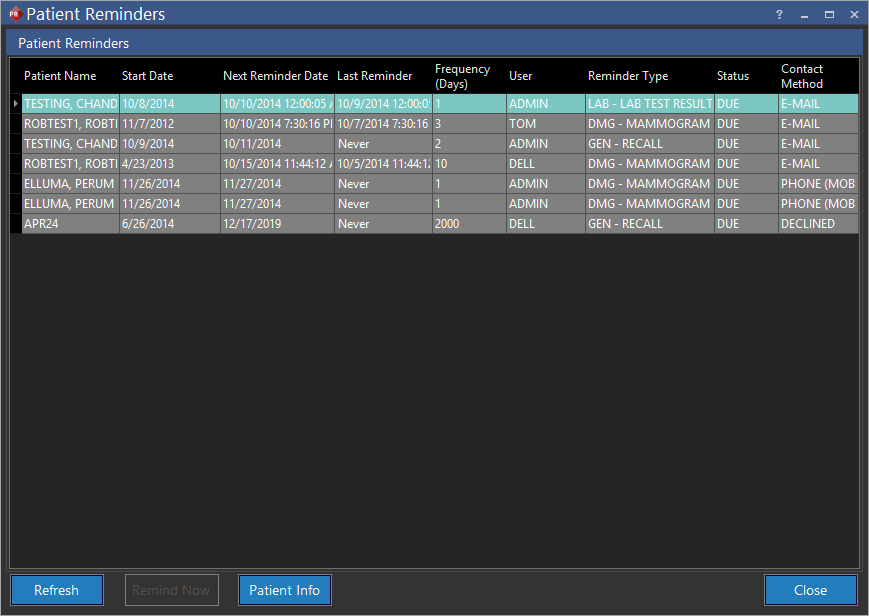
The list can be sorted according to any specific column by clicking on the column name. There are three options at the bottom. The Remind Now option is active if the Preferred Contact method is PHONE/FAX. Pressing this button will display the Remind Patient screen. The screen can be used as a reference while contacting the patient. After the reminder has been sent, pressing the Reminder Sent button can be pressed to mark the patient reminder as sent. This changes the Last Reminder Date to the time when the Reminder Sent button was pressed. The Refresh button is used to refresh the list while the Patient Info button will display the Patient Info screen for the selected patient.
The Patient Reminders tab is used to send specific reminders to patients about preventive or follow-up care. These reminders are sent according to patient preference (e.g. fax, phone or emails).